

Overview
Sherin is a self-hosted private creative workspace for one owner who wants their own key, domain, and storage for generative media. It ships with a dashboard for Studio, Gallery, References, Usage, and Profile, all gated by Supabase Google OAuth and a configured owner email.
Use it when you want a deployable workspace rather than a managed SaaS product. Sherin can run direct Black Forest Labs execution or BabySea execution, stores generation records in Supabase Postgres, and lets you choose Supabase Storage, Vercel Blob, Cloudflare R2, or AWS S3 for generated media and references.
What you can build
- An owner-only image generation studio using FLUX 1.1 and FLUX 2 model options.
- A prompt form with ratio, resolution, output format, provider order, safety, and model-specific fields.
- Upload-based and URL-based reference workflows for later image generations.
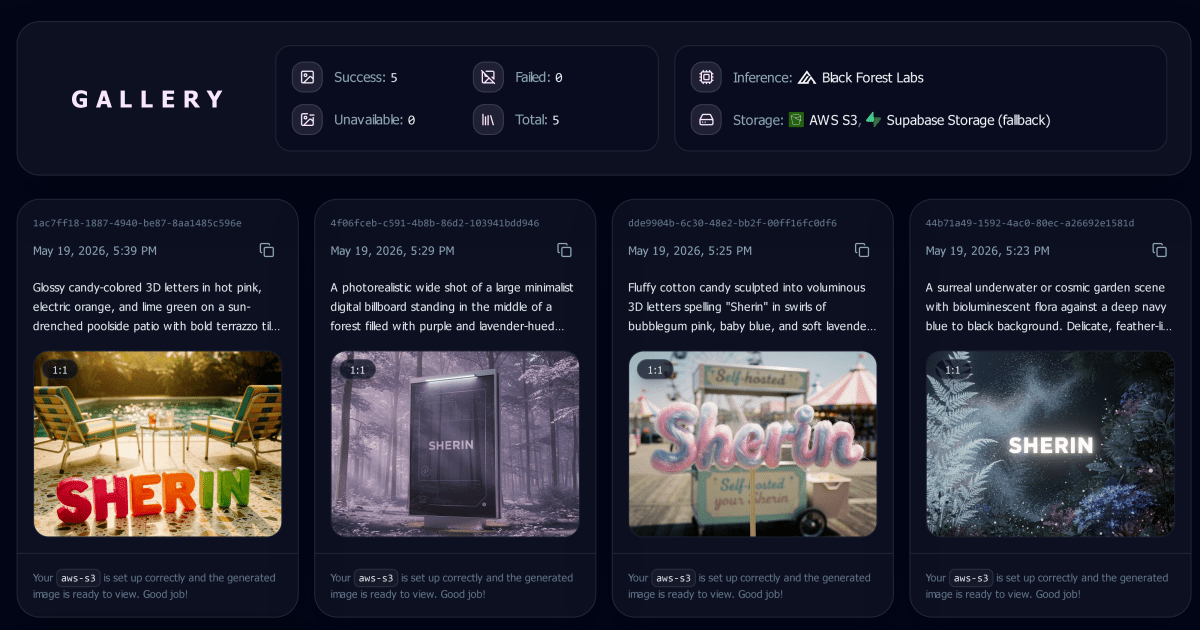
- A gallery that tracks queued, running, succeeded, failed, and unavailable outputs.
- Usage and profile views for provider mode, storage provider, queue state, quota posture, and deployment settings.
What you need
- Next.js for the private dashboard routes and server actions.
- Supabase for Auth, Postgres generation records, and the default storage option.
- Google OAuth for the owner sign-in flow configured through Supabase Auth.
- Sherin owner config for
OWNER_EMAILand the single-user dashboard gate. - Black Forest Labs for direct FLUX model execution with
BFL_API_KEY. - BabySea for hosted model execution with
BABYSEA_API_KEY. - Vercel Blob for optional Vercel-backed storage.
- Cloudflare R2 for optional S3-compatible storage.
- AWS S3 for optional S3 bucket storage.
- Sentry for optional production observability.
- Cron for optional background processing through
/api/generations/process. - For hosting, you can deploy using DigitalOcean, Netlify, Railway, Render, or Vercel.
Description flow
The owner signs in through Supabase Google OAuth, and Sherin compares the account email with OWNER_EMAIL before allowing access to the dashboard. Once inside, the navigation exposes Studio, Gallery, References, Usage, and Profile as a private workspace tied to that deployment.
In Studio, the owner selects a FLUX model, writes a prompt, adjusts schema-aware fields, and attaches optional input images. Sherin validates the active provider configuration, stores the generation record and request metadata, uploads input assets when needed, then dispatches the job through BabySea or the direct Black Forest Labs provider path.
While a job is queued or running, the dashboard can kick the processing route so stale work continues without leaving the UI. References collects uploaded and URL-based input files from generation metadata, resolves their storage URLs, and keeps copyable reference links close to the creative workflow.
When the generation reaches a terminal state, Gallery displays the latest output, failed state, or unavailable asset state from the stored record. Usage and Profile complete the loop by showing inference provider status, storage provider status, queue activity, quota settings, and owner-visible deployment configuration.